There are 3 types of messages in the desktop app:
- Standard text message.
You can send standard text messages in any personal or group chat. Just enter your message in the input area and press “Enter”.

- Important message.
You can mark any message as Important for yourself so that it will be easier to find it in the future. To do this, just click on the icon above the message.

- SMS message. *
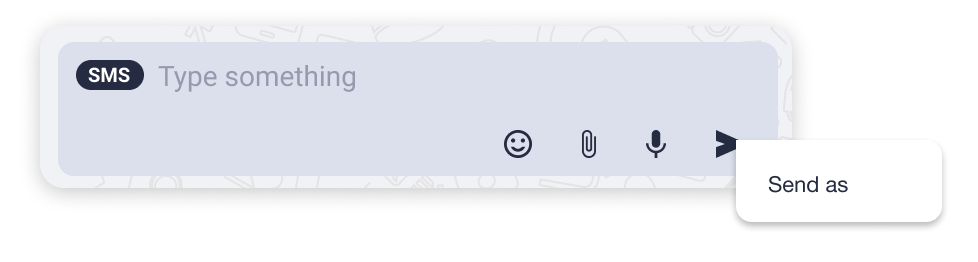
SMS messages can be sent only to external numbers or extensions. Select an extension or contact from the Users or Contacts tab. If this function is available, an SMS label will appear in the input area:

Note that a proper connection must be established by the Admin in order to send SMS messages. If you can’t see the SMS label, please contact your organization administrator.
In case you have multiple SMS numbers, to select the number you’d like to send an SMS from, please perform a context click on the Send icon  (two-finger tap on the trackpad or Control + click). A menu will appear, allowing you to select which number to send the message from.
* Please check the availability of this feature with your PBX Administrator.
There are two types of message status:
- Delivered
![]()
![]()



- Read
![]()
![]()